That feeling at 6pm where your eyes have been running a marathon all day? It's not your monitor. It's your lighting.
Your brain interprets the contrast between a bright screen and a dark room as constant visual work, and it taxes your eye muscles all day compensating. BenQ's ScreenBar series has been addressing this for years with a monitor-mounted LED that lights your desk and your wall behind the screen simultaneously. The Halo 2 is the newest version. It adds a motion sensor that turns the light on and off automatically, improves the rear bias lighting spread, and refines the wireless desk controller.
$180. Here's whether it's worth it.
What It Is
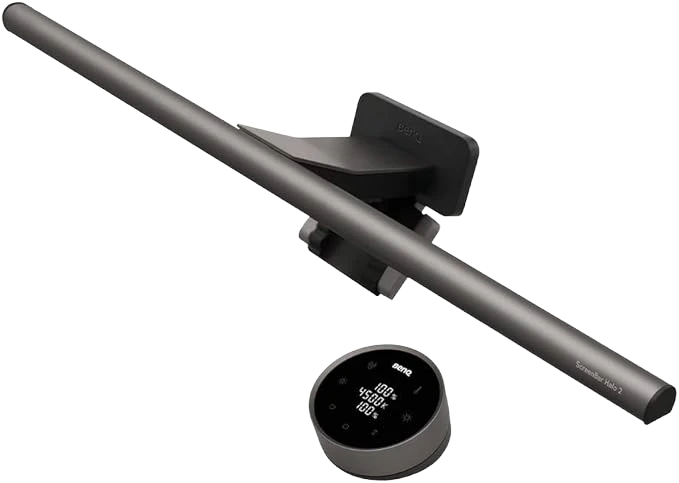
LED bar that clips to the top of your monitor, no tools, no adhesive, just a weighted arm. Two lights simultaneously: one facing your desk, one facing the wall behind your screen. USB-powered. Wireless controller sits on your desk. New in the Halo 2: motion sensor turns it on when you sit down, off when you leave.

The physics: by lighting the wall behind your monitor, you reduce the perceived contrast between the bright panel and the dark area around it. That contrast is the primary driver of digital eye fatigue. This is the fix.
Who It's For
Anyone who works at a screen for more than four hours a day. Specifically:
- Remote workers who've dialed in every other part of their setup but haven't touched desk lighting
- Gamers who want their keyboard visible in a dark room without any glare on the panel
- Streamers who need desk lighting that doesn't wash out the background on camera

Also works with curved monitors now, which the original ScreenBar handled poorly due to the mounting geometry.
Key Features
- Motion sensor auto-on — sit down, light activates; stand up, light turns off; no reaching for controls during your workday
- Rear bias lighting — fills the wall behind your monitor with diffuse light; reduces eye strain at the source
- Zero screen glare — asymmetric optics direct light to your desk and your wall, never toward your panel or your eyes
- Wireless ambient sensor controller — reads room brightness, auto-adjusts, or you can dial it manually
- USB-C, curved-monitor clip — one cable, clips to nearly any monitor including curved ultrawides
Honest Take
The original ScreenBar Halo does the same core job for less money. If you don't specifically want motion detection and the rear light improvement is marginal for your wall color or room size, the previous generation is a legitimate alternative.

The auto-on feature is the dividing line. If you bounce in and out of your desk through the day, calls, kitchen, kids, having the light respond to your presence rather than requiring you to manage it is a real quality-of-life change.
Verdict
At $180, the BenQ ScreenBar Halo 2 is a deliberate investment in working longer without your eyes paying the bill. The motion sensor alone justifies the upgrade from the original if you're regularly moving in and out of your workspace.